Viewing and sharing your Wallet
Your Skill Wallet is personal—but it’s also shareable. You can choose to make it public, select exactly what to display, and generate links to send to organizations, colleagues, or potential employers.
Wallet viewing modes
The Skill Wallet can be viewed in two modes:
- Private mode: accessible only to you, where you can add, edit, or reorganize content.
- Public mode: a read-only version for external viewers, with a simplified layout.
You can switch between modes at any time.
How to enable public viewing
To make your Wallet public:
- Open any of your Wallet competence areas.
- Go to the top-right area and click “Public Skill Wallet.”
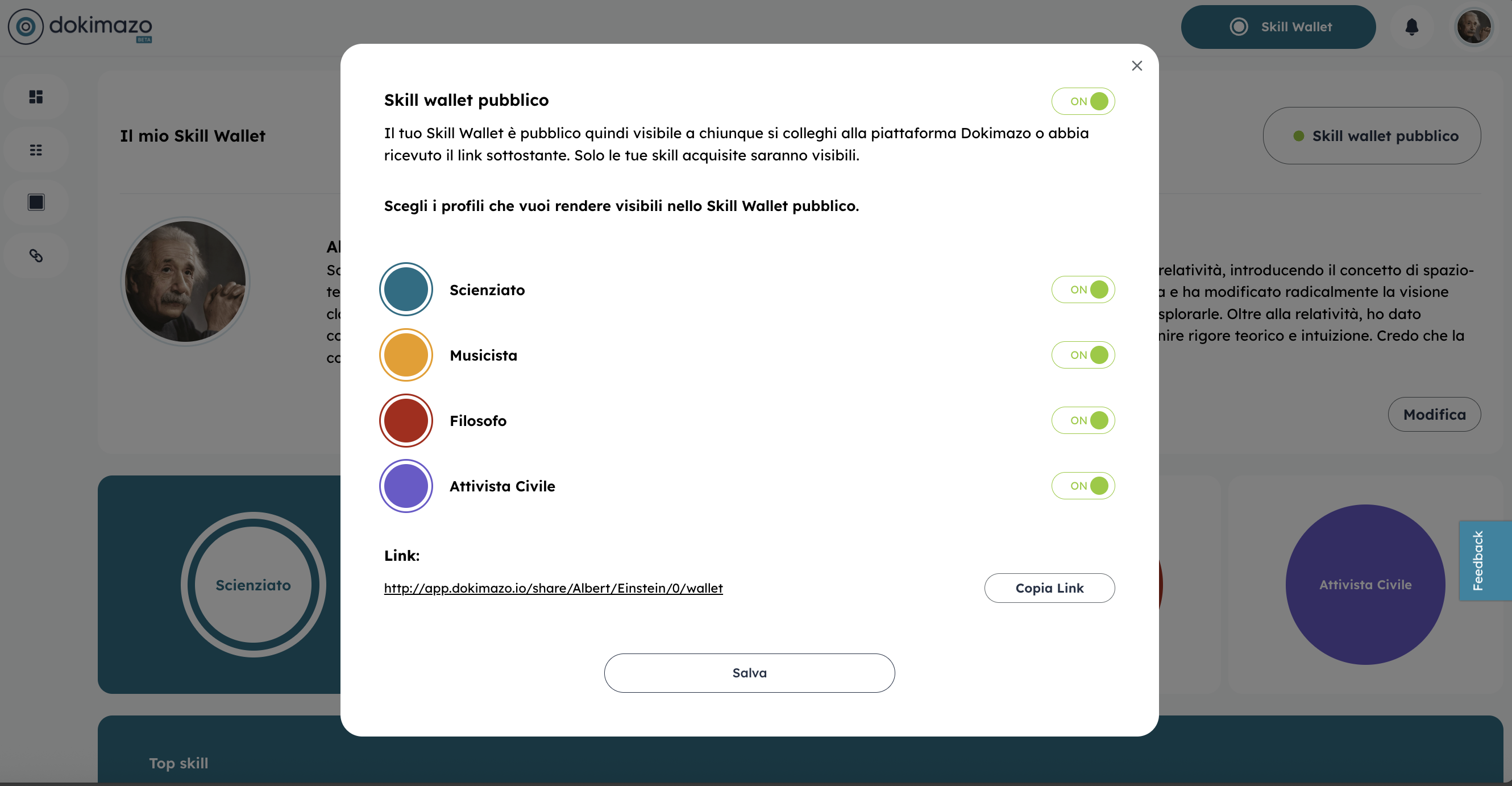
- In the pop-up, turn on the toggle at the top and choose which profiles you want to make public.
- A unique link will be generated, which you can copy and share.
You can disable public visibility or regenerate the link at any time.
Control what’s displayed
When you publish your Wallet, the following rules apply:
- Skills: only validated skills and any non-confidential skills assigned by an organization will be visible.
- Evidence: all evidence is public, including qualifications assigned by an organization.
- Top Skills: always visible unless you manually turn them off.
This lets you tailor how your profile is presented depending on the context in which you share it.
How to share the Wallet
Once the public link is generated, you can:
- Add it to your résumé or LinkedIn profile
- Share it via email or chat
- Use it during applications to demonstrate competencies with concrete evidence
Your Wallet becomes a dynamic extension of your résumé, updating in real time whenever you add new skills or validations.